Mouse Pads & Accessories
Offers updated on: 12/06/2026. Paid and non-exhaustive ads








Comprehensive Buying Guide for Mouse Pads & Accessories in the UK
Understanding Mouse Pads & Accessories
Mouse pads and accessories play a crucial role in enhancing the computing experience, whether for work, gaming, or general use. At first glance, they may seem like simple pieces of equipment, but the right mouse pad can significantly improve your comfort and efficiency. A good mouse pad can provide a smoother glide for your mouse, protect your desk surface, and even contribute to your overall posture and ergonomics.
Choosing the right mouse pad is essential, as different users have different needs. For gamers, a high-precision surface can mean the difference between victory and defeat, while office workers may prioritize comfort and wrist support for long hours of use. Understanding the unique characteristics of various mouse pads and accessories will empower you to make an informed decision tailored to your specific requirements.
Key Features to Consider
When selecting a mouse pad or accessory, several key features warrant your attention.
- Material Types : The material of a mouse pad can greatly influence its performance. Cloth pads offer a soft, comfortable surface that is ideal for general use and gaming, providing a good balance between speed and control. Hard pads, often made of plastic or metal, provide a faster glide, making them popular among competitive gamers. Hybrid surfaces combine the benefits of both, offering versatility for different tasks.
- Size Options : Mouse pads come in various sizes, from standard to extended and full desk options. Consider your desk space and how you use your mouse. A larger pad can provide more freedom of movement, especially for gamers who require extensive swiping. Conversely, a smaller pad may be more suitable for limited desk areas.
- Thickness : The thickness of a mouse pad can affect both comfort and performance. Thicker pads often provide extra cushioning, which can enhance comfort during prolonged use. However, they may also reduce the direct contact with the desk surface, potentially impacting precision. Finding a balance that suits your style is essential.
- Surface Texture : The texture of the mouse pad surface plays a critical role in mouse movement. Smooth surfaces allow for quick movements and are often preferred by gamers, while rougher textures provide more control and are ideal for tasks requiring precision. Understanding your preferred mouse movement style will help you choose the right texture.
Understanding Ergonomics and Comfort
Ergonomics is a vital consideration when selecting a mouse pad, particularly for those who spend long hours at their computers.
- Wrist Rests : Many mouse pads come with built-in wrist rests, which can significantly reduce strain and discomfort. These rests help maintain a neutral wrist position, preventing fatigue and potential injuries such as carpal tunnel syndrome. If you find yourself experiencing discomfort during extended use, a mouse pad with a wrist rest may be an excellent investment.
- Ergonomic Designs : Some mouse pads are designed with ergonomics in mind, featuring contours that support the natural position of your hand and wrist. These pads can help enhance your posture and reduce fatigue, making them ideal for both office workers and gamers alike. Look for pads that prioritize comfort and support, especially if you spend hours at your desk.
Gaming-Specific Considerations
For gamers, the right mouse pad can elevate performance and enhance the gaming experience.
- DPI and Sensor Compatibility : Understanding DPI (dots per inch) settings is crucial for gamers. Higher DPI settings allow for faster mouse movements, but they require a surface that can accurately track those movements. Different mouse sensors may perform better on specific pad surfaces, so it's essential to choose a pad that complements your gaming mouse's capabilities.
- Grip Styles : Gamers often use different grip styles—palm, claw, or fingertip—each of which can influence mouse pad selection. For example, claw grip users may benefit from a smaller, more responsive pad, while palm grip users might prefer a larger surface for broader movements. Understanding your grip style will guide you in selecting the most suitable pad.
- Durability and Maintenance : Gaming mouse pads can experience significant wear and tear, so durability is a key factor. Look for pads with high-quality stitching and materials that resist fraying and damage. Additionally, consider how easy it is to clean the pad, as maintaining a clean surface can enhance performance and longevity.
Comparative Insights: Budget vs. Premium Models
When it comes to mouse pads and accessories, shoppers often face the decision between budget-friendly options and premium models.
- Price Ranges : Budget mouse pads can be found for as little as £5-£10, offering decent quality for casual users. Mid-range options, typically priced between £15-£30, often feature better materials and additional functionalities. Premium models can exceed £50, boasting advanced features such as customizable RGB lighting, enhanced tracking surfaces, and superior build quality.
- Quality Indicators : Higher price tags often correlate with better materials and construction. For example, premium pads may use advanced textile technology for improved tracking and durability, while budget options may utilize simpler materials that wear out more quickly. Consider what features are most important to you and whether they justify the price difference.
Top Recommendations for Mouse Pads & Accessories
Here are some top recommendations across various categories to help you find the perfect mouse pad or accessory:
-
Best Gaming Mouse Pads
:
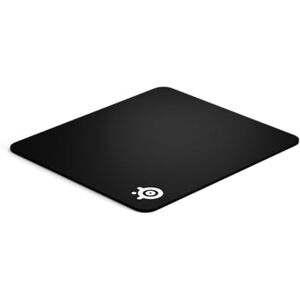
- SteelSeries QcK : A highly regarded cloth pad known for its smooth surface and durability, perfect for gamers who need precision.
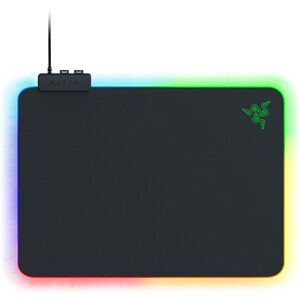
- Razer Firefly V2 : A premium option with customizable RGB lighting and a micro-textured surface for optimal performance.
- Corsair MM300 : An extended gaming mouse pad that offers ample space and a durable design, ideal for serious gamers.
-
Best Ergonomic Options
:
- 3M Gel Wrist Rest : This accessory provides excellent wrist support and comfort, reducing strain during long sessions.
- Kensington Duo Gel Mouse Pad : Features a gel-filled wrist rest and a smooth surface, promoting ergonomic use.
- HyperX Fury S : An ergonomic cloth pad that combines comfort with precision, suitable for both gaming and office work.
-
Best Budget Choices
:
- AmazonBasics Gaming Mouse Pad : A simple, affordable option that delivers decent performance for casual users.
- Razer Goliathus Speed : A budget-friendly cloth pad that offers a good balance of speed and control for gamers.
- Logitech G240 : A versatile mouse pad that provides a smooth surface at an affordable price.
-
Best Premium Selections
:
- Glorious 3XL Mouse Pad : A massive, high-quality cloth pad that provides ample space for any gaming setup.
- Cooler Master MP750 : A hybrid mouse pad with a water-resistant surface and RGB lighting, perfect for gamers seeking style and performance.
- SteelSeries QcK Prism : Combines a high-quality cloth surface with customizable RGB lighting for a premium gaming experience.
Practical Buying Tips
When purchasing mouse pads and accessories, consider these actionable tips to ensure you make an informed decision:
- Where to Buy : Online retailers such as Amazon, Currys, and specialist gaming stores often have a wide selection of mouse pads . Utilizing price comparison tools like Kelkoo can help you find the best deals available.
- Seasonal Deals and Trends : Keep an eye out for seasonal sales, such as Black Friday or back-to-school promotions, where you can find discounts on popular mouse pads and accessories. Additionally, staying updated on trends in mouse pad technology can help you choose products that offer the latest innovations.
- Warranty and Return Policies : Always check the warranty and return policies before making a purchase. A good warranty can provide peace of mind, while flexible return policies allow you to exchange or return products that don’t meet your expectations.
Conclusion: Making the Right Choice
Selecting the right mouse pad and accessories is crucial for enhancing your computing experience. By understanding the various features, ergonomic considerations, and specific needs for gaming or office work, you can make a confident purchasing decision. Whether you prioritize comfort, performance, or budget, the insights provided in this guide will help you find the perfect mouse pad to suit your individual needs. Happy shopping!
Kelkoo
Professionnals
Due to technical constraints, Kelkoo cannot guarantee the complete accuracy, nor the completeness of the information provided by the merchants. As a result, and due to the nature of Kelkoo's activities, in the event of discrepancies between the information displayed on the Kelkoo website or ads and the one displayed on the merchant's website, the latter will prevail. Prices shown are including all fees. - Learn more
 company